ReNoteSearch workflows
How to make learning feel like scrolling
Turn a question into a connected trail of notes you can explore and revisit. A practical ReNoteSearch workflow for curious self-learners.
Give your curiosity a starting point
Pick one question small enough to explore in a short sitting. For example: how does a solar panel turn sunlight into electricity? Start with a source you can identify and check. Save its URL with a short summary in ReNoteSearch. Keep the original question at the top so that following an interesting side topic does not erase your purpose.
Make the next step easy
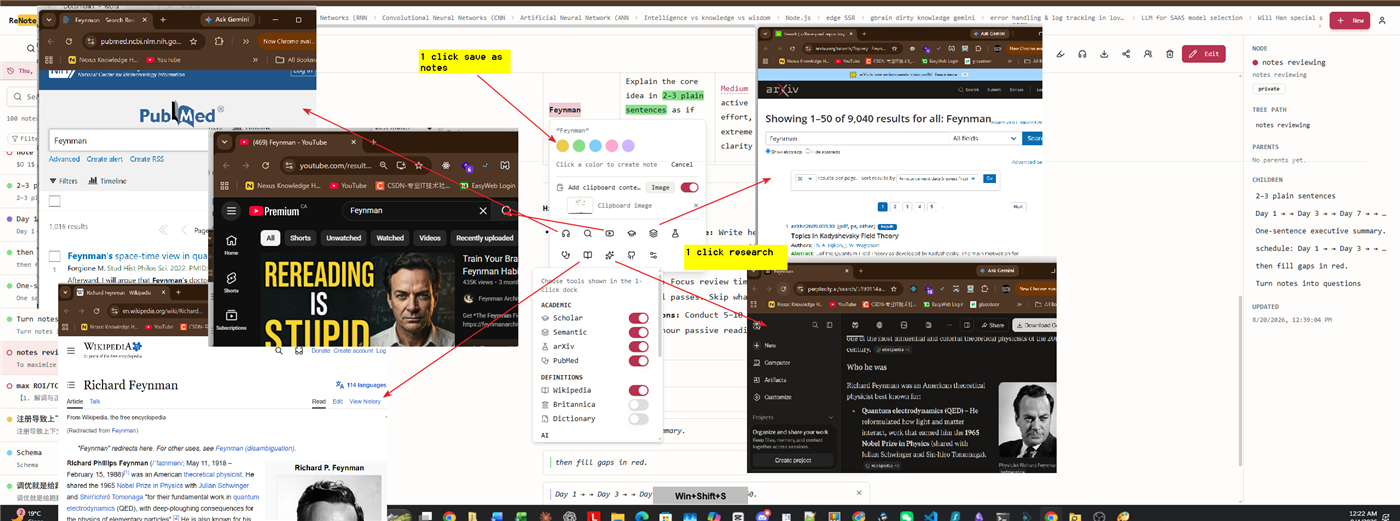
Read until a phrase catches your attention. Highlight photovoltaic effect, then capture a note about what you want to understand. That note can open as its own knowledge node. Explain the concept in your own words, keep the source link, and add related concepts as you encounter them. Existing note titles and aliases can link automatically. Your growing notes supply the connections; the app does not invent evidence for you.
Follow an idea and return
Open a connected note when it helps answer your question. If you need an external explanation, use the selection research dock to open a search for the selected text. External search still opens another tool. When you return, the navigation trail gives you a way back to your starting note. Add one sentence explaining what the detour changed in your understanding.
Finish with something you can explain
Before rereading, try explaining the answer without looking. Compare your explanation with the original source and correct the gaps. Later, use the calendar to revisit the note by date. The marked days are prompts for review, not proof that something has been learned. A useful outcome is a clearer explanation and a trail you can recover, not a longer scroll session.
Where the scrolling comparison stops
This is connected exploration, not an infinite video feed. You bring questions and sources, decide which connections matter, and do the work of remembering. ReNoteSearch reduces the effort of capturing and finding your notes; it does not promise effortless learning. Start with one question and stop when you can explain the answer well enough for your purpose.
Try it: follow a question about how solar panels work
- Start with a short explanation you trust. Save the source link beside your own notes.
- Highlight a phrase such as photovoltaic effect and capture the question it raises.
- Open that concept as a note, add an explanation in your own words, and follow related notes.
- Use the navigation trail to return to your starting question. What makes more sense now?
- Revisit the notes through the calendar. Try explaining the idea before reading it again.