Find it again in one search
The answer, the note, the source — one place, one query. Never again “I know the AI told me this.”
A NEW AI-AGE LEARNING FLOW
Connect lecture notes, follow difficult concepts, and return to review. ReNoteSearch helps you keep your study flow without losing your place.
For students who want to actually understand the material — not just pass — and whose notes are scattered across six apps.
No credit card needed.
THE AI-AGE LEARNING FUNNEL
Every extra tab, chat and tool switch filters out a little more of what you meant to understand. Here is where it leaks — and what ReNoteSearch does instead.
One place to ask — from the tool that fits the question. The search stays with your notes.
A worked example to try in your own workspace.
It means making it easy to keep exploring: read, highlight a question, follow a connected note, and return to where you started. ReNoteSearch is a connected knowledge workspace, not an endless entertainment feed.
Reading is only a start. Explain ideas in your own words, check sources, and test what you remember. ReNoteSearch keeps your notes and review paths accessible; it does not guarantee retention or exam results.
Use search to find a concept or the calendar to revisit notes by date. The calendar marks days 1, 3, 7, 21, and 60 back as review prompts. You choose what to review; these prompts are not an adaptive flashcard scheduler.
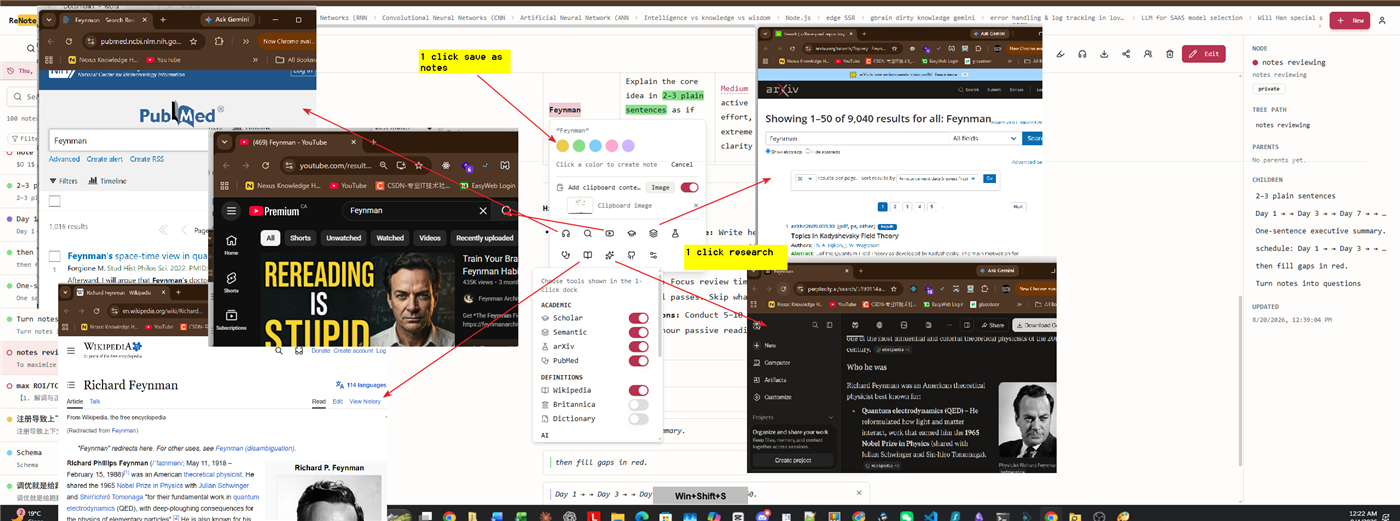
No. Keep using your preferred sources and AI tools. The selection research dock opens an external search for selected text, while your notes and navigation trail help you return to your question. Verify AI answers against their sources.
Research without breaking your flow. Built with AI.
Searching inside old chat sessions is a distraction, not a discipline problem. The fix isn’t more willpower — it’s a system that keeps your train of thought primary.
LESS FRICTION · MORE MEANING
The answer, the note, the source — one place, one query. Never again “I know the AI told me this.”
Connect the AI tools you already choose through MCP. They summarize, structure and link. You stay on the idea.
Follow linked notes and use the calendar's 1·3·7·21 review prompts. Read or listen, then check what you can explain from memory.
YOU ARE NOT THE ONLY ONE
“I understood it in class. Gone by the exam.”
“My notes app is where knowledge goes to die.”
“I’ve asked AI the same question three times this week.”
“I want to learn it, not just submit it.”
If you’ve said one of these out loud, you’re who we built it for.
WHY WE BUILT THIS
We tried every note system and ran out of patience. ReNoteSearch is the first product I built for myself — and the one I open every day.
Still love learning. Just refuse to babysit notes.
A REVOLUTIONARY STUDY & RESEARCH FLOW
Not ready? Watch it work — 90 seconds ▶